SELF-HOSTED / OPEN SOURCE
Ship an HTML file.
Get a real website.
Publish reports, dashboards and internal tools with security scanning, site-level permissions and persistent data. Use the CLI or your agent, on infrastructure you control.
SQLite · PostgreSQL · MySQL · Supabase
$ pip install html-golive
$ golive publish q3-report.html --slug q3-report

🔍 scanning for secrets… clean
🎨 style: minimal · assets bundled (4 → 1 file)
📦 published

   slug      q3-report
   url       http://localhost:8787/q3-report
   size      86 KB · snapshot #1 saved
HTML → URLYour server. Your data.


01 / YOUR INFRASTRUCTURE
Why it exists
You have an HTML file — a report, a dashboard, an internal tool — and you need it on a URL your colleagues can open. The usual answers are a cloud platform that can't touch your data, or a bare nginx that gives you nothing but a file server. html-golive is the middle ground: run it yourself, keep everything inside your network, and still get the conveniences you expect.
Your data stays put
Runs entirely on your own machine or server. No account, no telemetry, no outbound calls by default — works airgapped.
Zero configuration to start
Start with local files and SQLite out of the box. No database service or object store to provision.
Grows with you
Choose SQLite, PostgreSQL, MySQL or Supabase in configuration. Store HTML separately on local files, Supabase Storage or S3-compatible storage.
02 / THE TOOLKIT
What you get
Publishing, security scanning, role-based site permissions, four databases and an admin workspace — in one toolkit.
Publish & roll back
Every publish snapshots the previous version. golive rollback returns to any of them instantly.
Security scanning & publish protection
Detect API keys, private keys, database credentials and sensitive personal data before publishing. Strong credential hits block publication. Editor saves and imports run the same scanner, with extensible rules and optional LLM review.
Identity & site permissions
Token or OIDC authentication, with separate owner, maintainer and superadmin roles. Site management and permission changes are recorded in the audit log.
A database for static pages
A stable window.TemplateAPI provides CRUD. SQLite / PG / MySQL use a server proxy; Supabase uses public keys governed by RLS.
Edit in the browser
Owners and maintainers get an inline editor on the live page — fix a typo without touching the source file. Saves are scanned and snapshotted.
Admin console
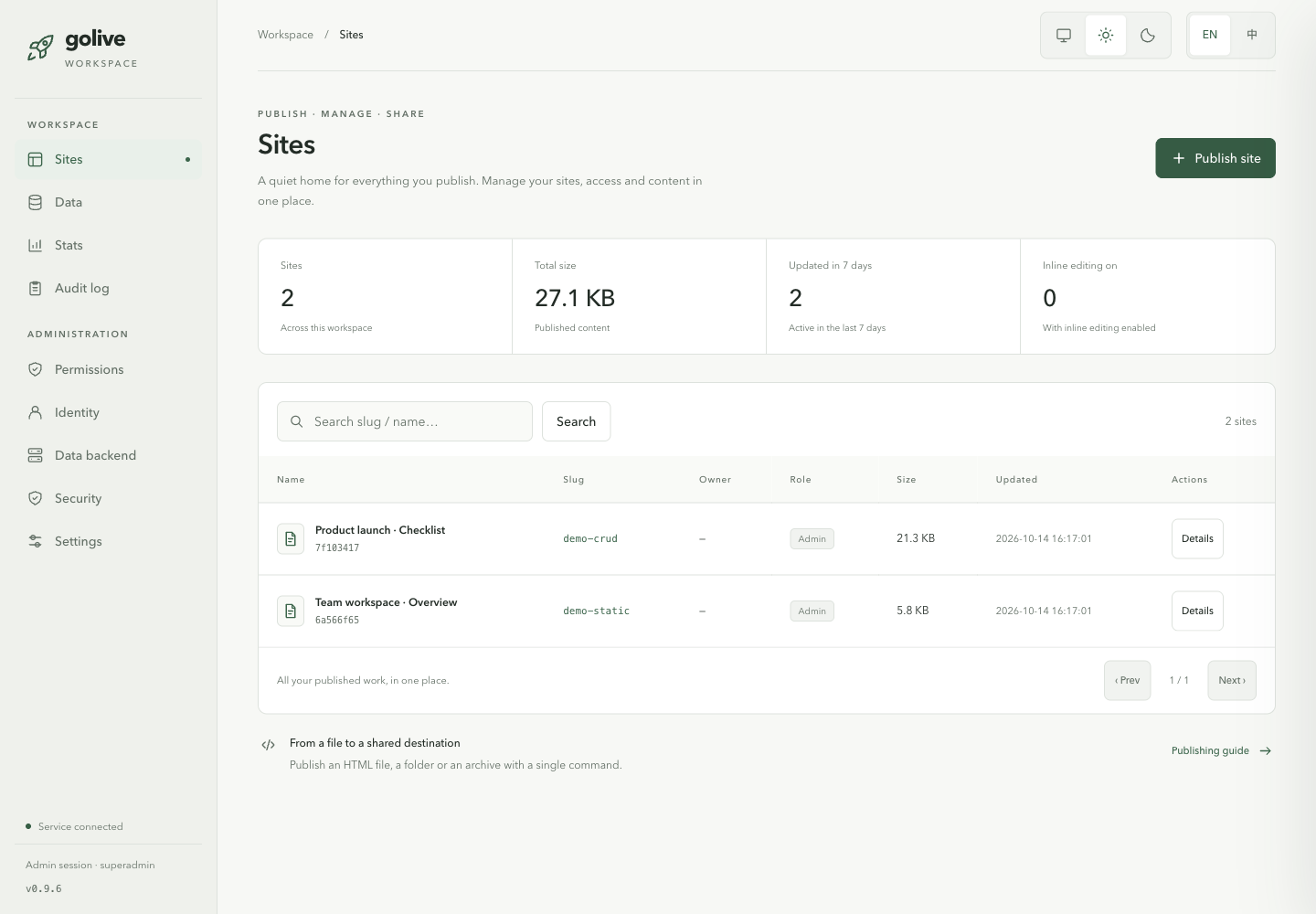
A light/dark, bilingual workspace at /admin: editable global settings, sites, permissions, data and precise database diagnostics.
19 built-in styles
Turn an unstyled document into something presentable with --style. Fonts come from public CDNs or your own mirror.
Clone any page
golive clone <url> snapshots a public page, inlines its assets and republishes it as your own.
Docker ready
A Dockerfile and a compose file with an optional MinIO profile — from zero to a running server in one command.
03 / THE WORKSPACE
Your admin workspace
Light/dark themes, English and Chinese, editable global settings and diagnostics for all four databases.
04 / FIRST DEPLOY
Quickstart
Three steps, about a minute. No configuration file needed to begin.
Install
Python 3.9+. Use html-golive[mysql] for MySQL or html-golive[postgres] for PostgreSQL.
Publish a page
Point it at any HTML file. It scans for secrets, applies a style, bundles assets and registers the site.
Serve it
Use an explicit 127.0.0.1 listener for local checks. Saved configuration can change defaults; configure access control before sharing.
05 / UNDER THE HOOD
Architecture
Three pluggable interfaces. Start on the left column, move to the right when you outgrow it — your commands and your pages don't change.
Storage
- local filesystem (default)
- supabase storage bucket
- s3 MinIO / COS / OSS / TOS
Registry
- sqlite single file (default)
- postgres / mysql server-side DSN
- supabase PostgREST table
Data
- sqlite / postgres / mysql server proxy
- supabase page-direct, GRANT + RLS
- none optional data-layer disable
Identity
- none loopback-only access
- token shared bearer token
- oidc Google, Okta, Keycloak…
06 / WORK WITH YOUR AGENT
Let your agent ship it
Use the CLI and bundled skill with an agent that can run commands. Publish, roll back, manage data and verify your setup; choose the skill directory for your agent.
golive skill install
golive skill status
07 / THE COMMAND LINE
Command reference
Publishing, serving, data, migration and diagnostics for the full workflow.
| Command | What it does |
|---|---|
publish | Scan, style, bundle and deploy an HTML file |
list | Show every registered site with size and owner |
rollback | Restore a previous snapshot |
serve | Run the HTTP server and the admin portal |
preview | Serve a local file without registering it |
clone | Snapshot a public page and republish it |
maintainer | Grant or revoke edit rights on a site |
admin | Open the admin console |
styles | List the 19 built-in visual styles |
data / db | Inspect and manage the data backend |
migrate-check | Find environment-specific references in an HTML file |
verify | Real HTTP, page injection and database self-checks |
export / import / migrate | Backup, restore and change backends |
skill | Install and check the bundled AgentSkill |
doctor | Diagnose configuration and connectivity |
08 / MAKE IT YOURS
Try it
MIT licensed. Real tests for all four backends; Linux / macOS CI on Python 3.9 / 3.11 / 3.12. Issues and pull requests welcome.